

最新版支持 3 种授权方式:网页授权(推荐)、API Key 授权、设备码授权。你只需任选一种完成即可,不用全部都做。
第一步:安装 MetaCode
安装方式不变,依旧是复制一行命令执行。安装完成后,会继续引导你进入注册 / 授权流程。- Windows
- macOS / Linux
1
以管理员身份打开 PowerShell
右键点击「开始」菜单,选择「Windows PowerShell(管理员)」。
2
运行安装命令
3
验证安装成功
安装完成!下一步只需要在下面三种方式里任选一种完成注册 / 授权。
第二步:注册 / 授权(三选一)
先看三种方式怎么选
方式一:网页授权(推荐)
新手首选,跟着网页提示点几步即可完成。
方式二:API Key 授权
适合已有账号,或希望手动创建和管理 Key 的用户。
方式三:设备码授权
适合浏览器未自动拉起、远程机器,或更习惯按设备码完成登录的场景。
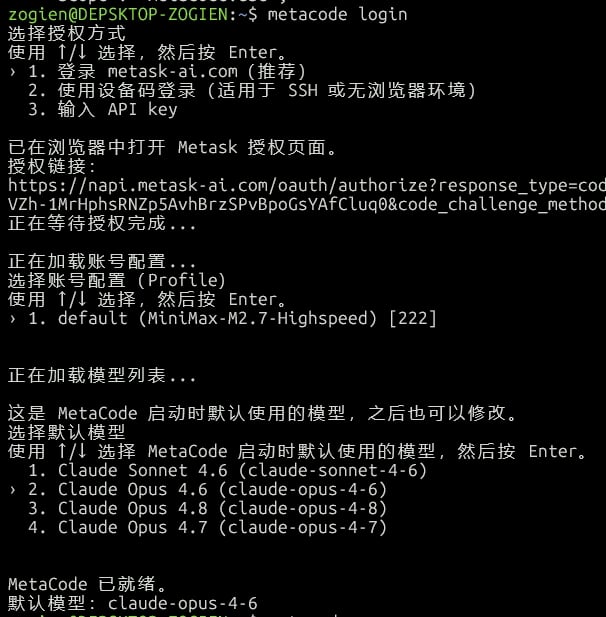
方式一:网页授权(推荐)
1
选择推荐的网页授权方式
安装完成后,优先选择 MetaCode 推荐的网页授权方式,最省心,适合绝大多数新用户。
2
在浏览器里完成登录或注册
浏览器会自动打开授权页面。还没有账号可以直接在这里注册;已有账号则直接登录并授权。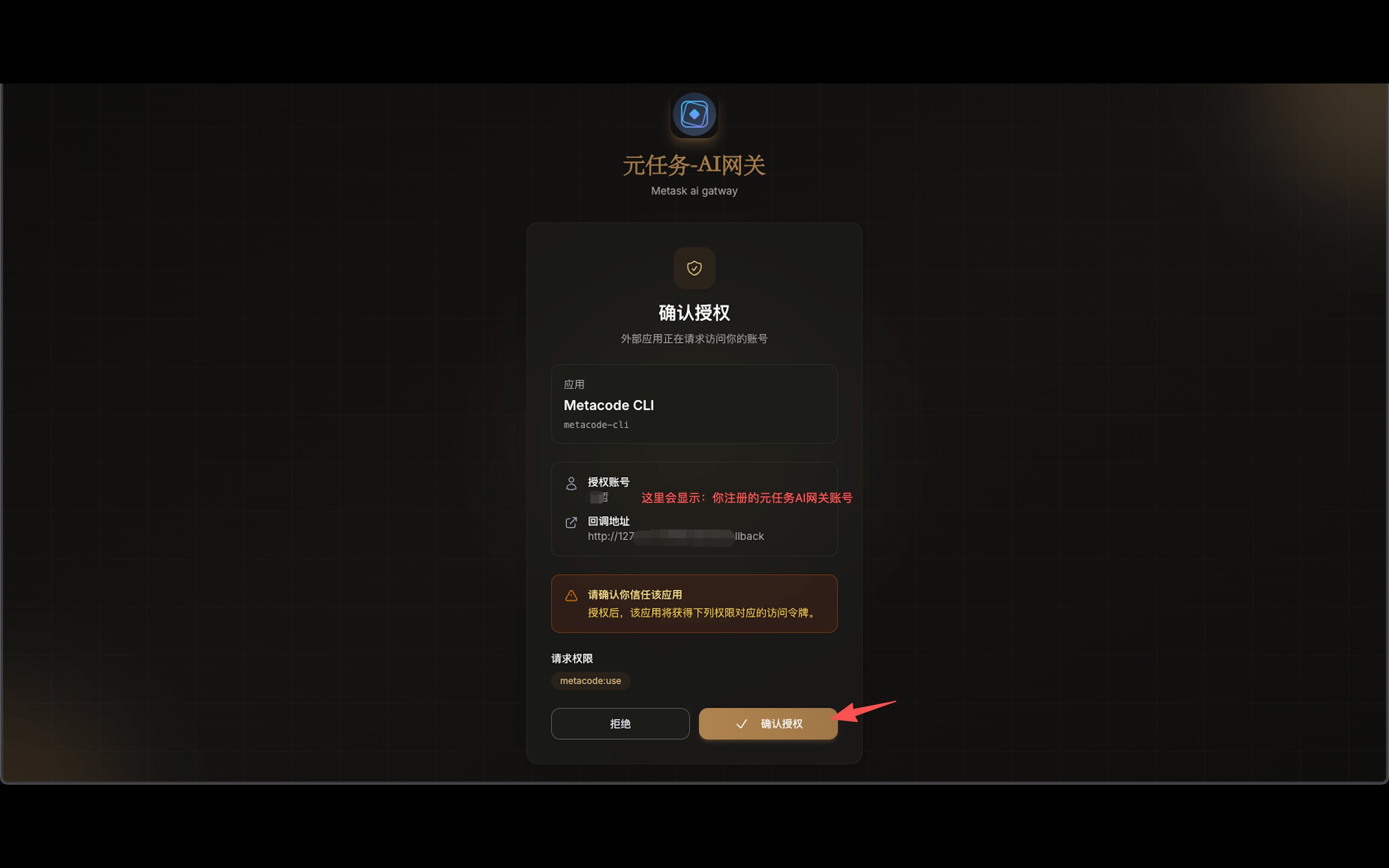
3
回到终端确认结果
网页确认后,终端会显示授权完成提示,说明账号已经和当前设备绑定成功。
方式二:API Key 授权
适用场景
你希望手动创建和管理 Key,或者团队内部已经在用 API Key 方式统一发放凭证。
1
打开 API Key 获取页面
复制下面网址到浏览器打开:https://napi.origintask.cn/keys/generatormckey
2
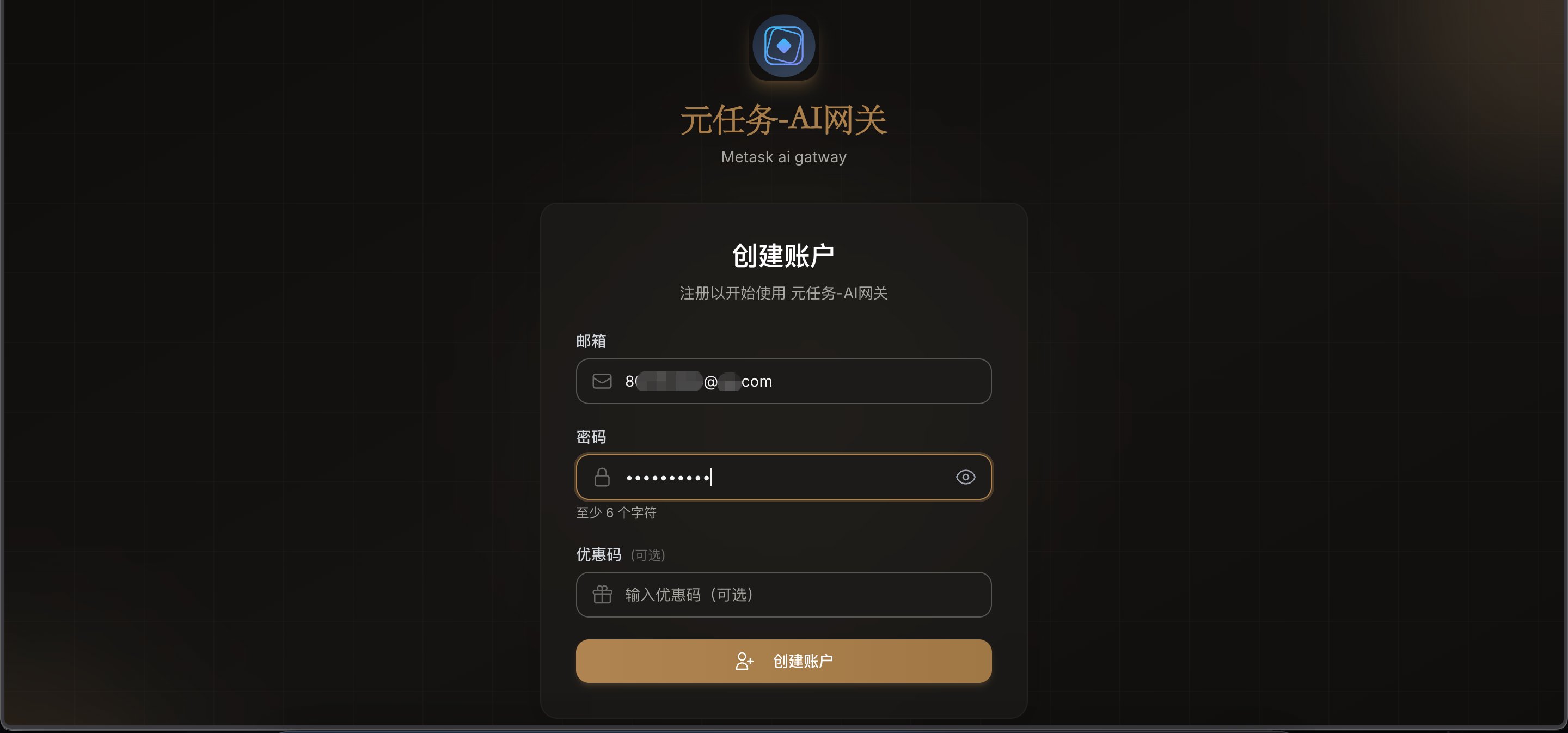
注册或登录账号
没有账号点「注册」,已有账号点「登录」。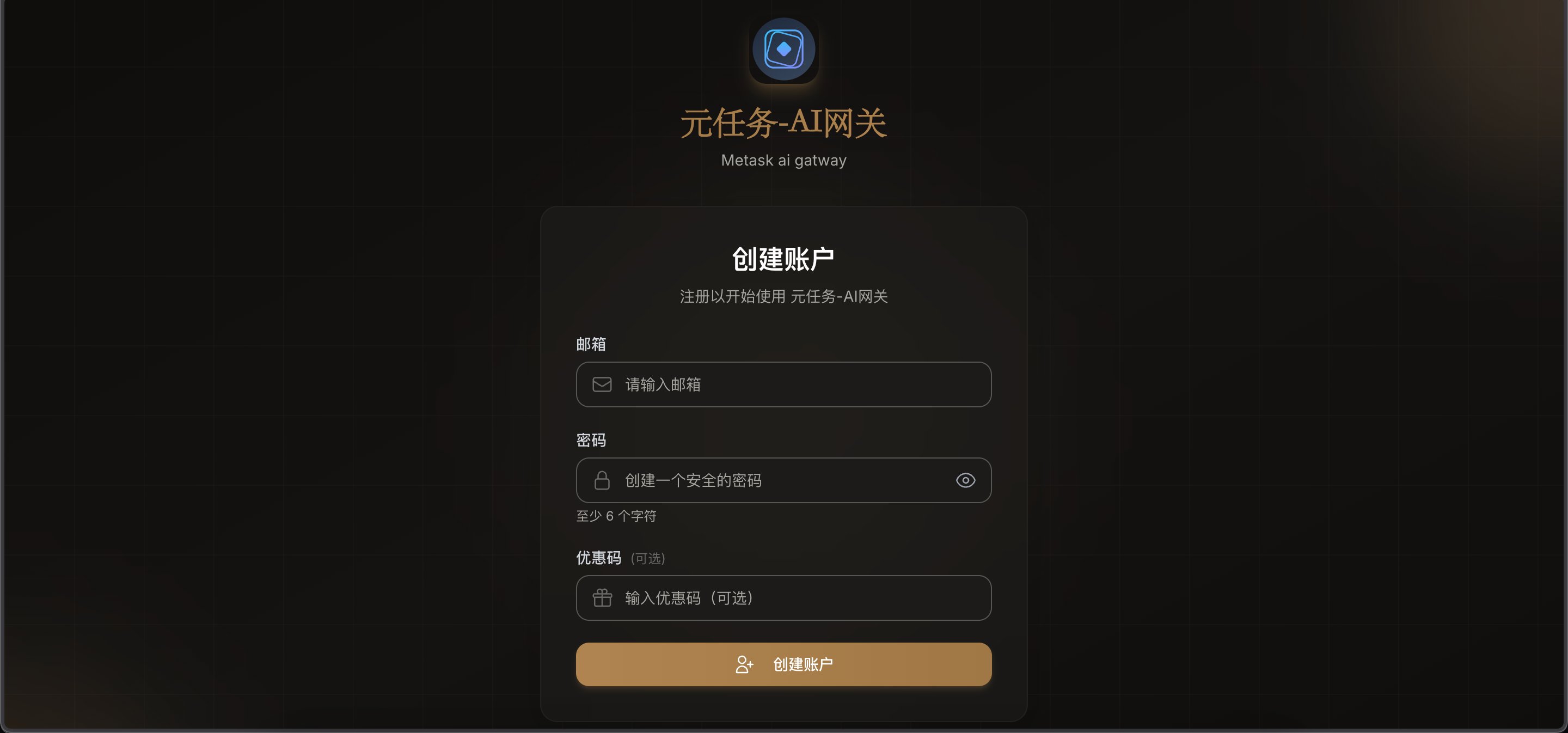
3
创建 API Key
登录后点「创建 / Generate」,填写 Key 名称(如「我的电脑」),选择类型和过期时间,然后创建。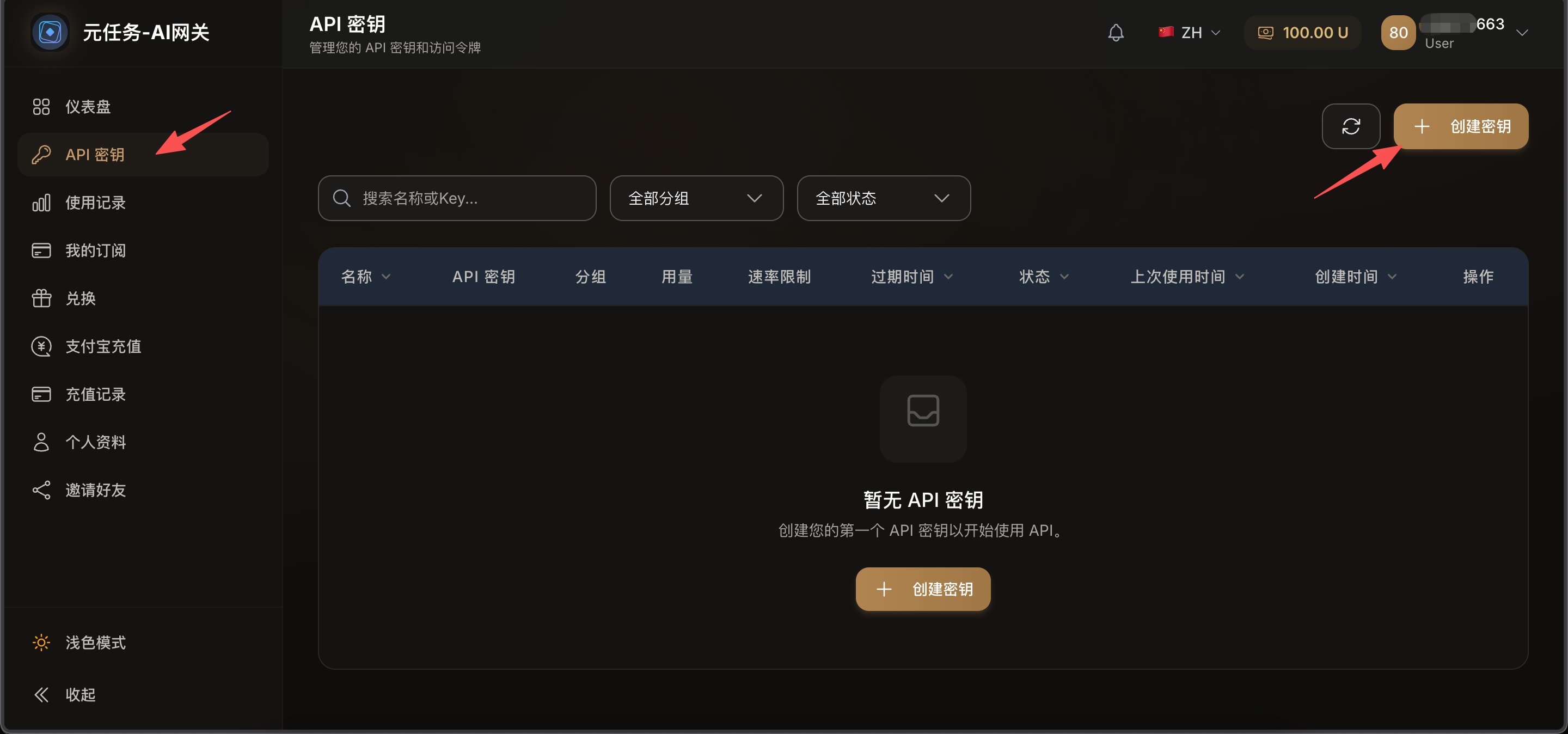
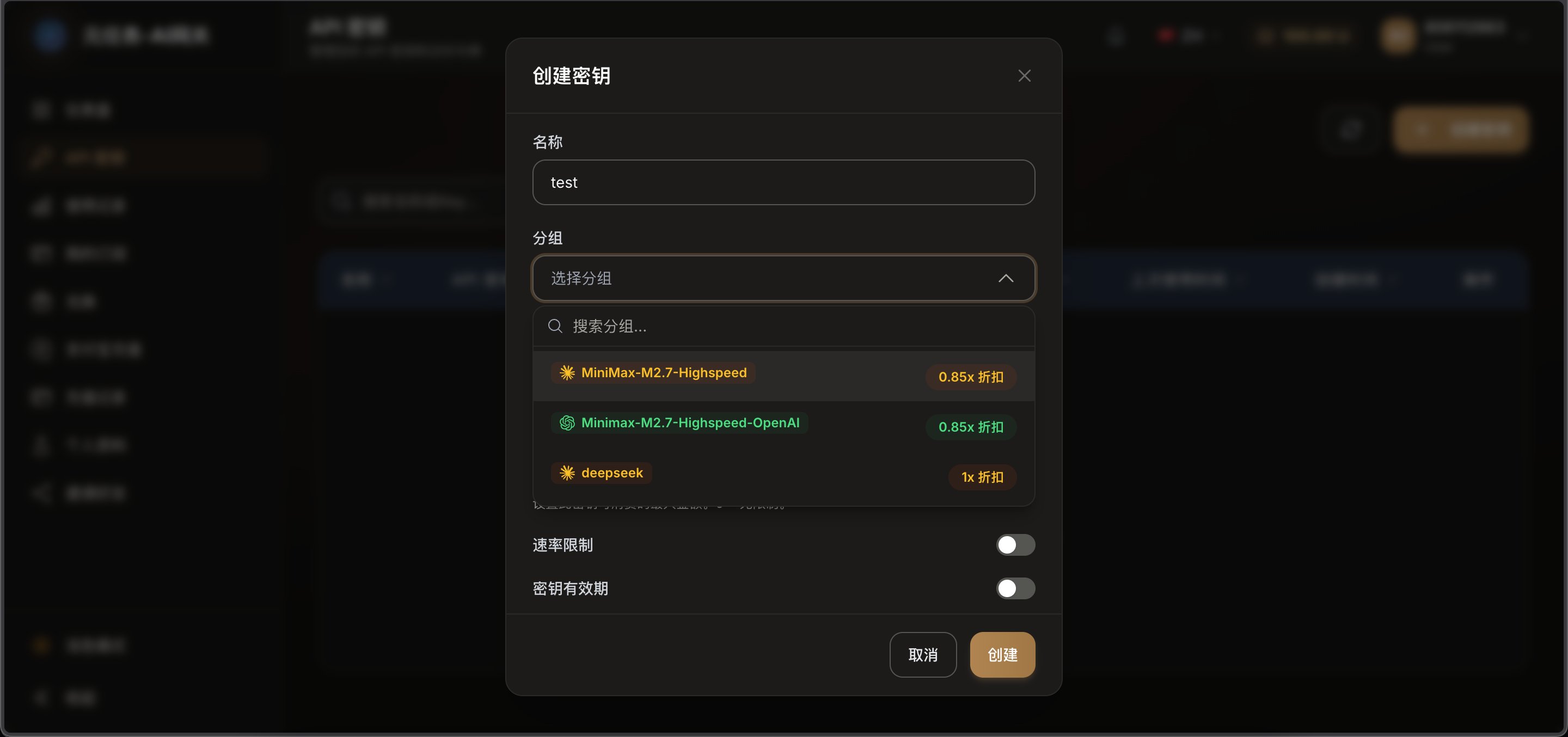
4
复制 API Key
创建成功后,页面会显示一串以 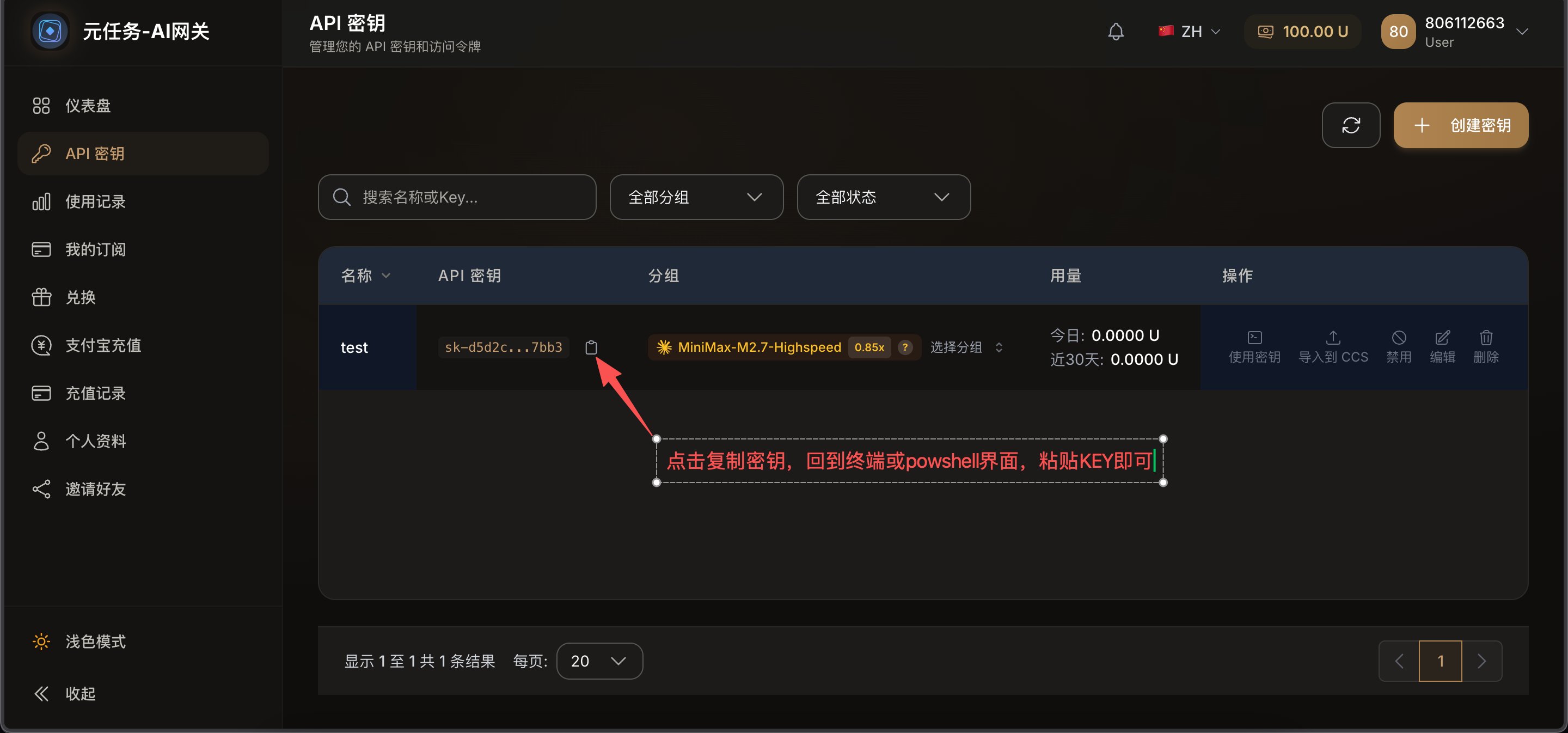
sk- 开头的密钥,复制保存好。5
配置到本地
打开终端,运行:终端提示输入时,粘贴刚才复制的 Key,按回车。
6
验证配置成功
方式三:设备码授权
适用场景
浏览器没有自动打开、你正在远程服务器上操作,或者想手动在另一台设备上完成登录。
1
选择设备码授权方式
在安装后的三种授权方式中,选择「设备码授权」继续。
2
按页面提示打开网页并输入设备码
终端会给出设备码和访问地址。在浏览器中打开对应页面,输入设备码并确认授权。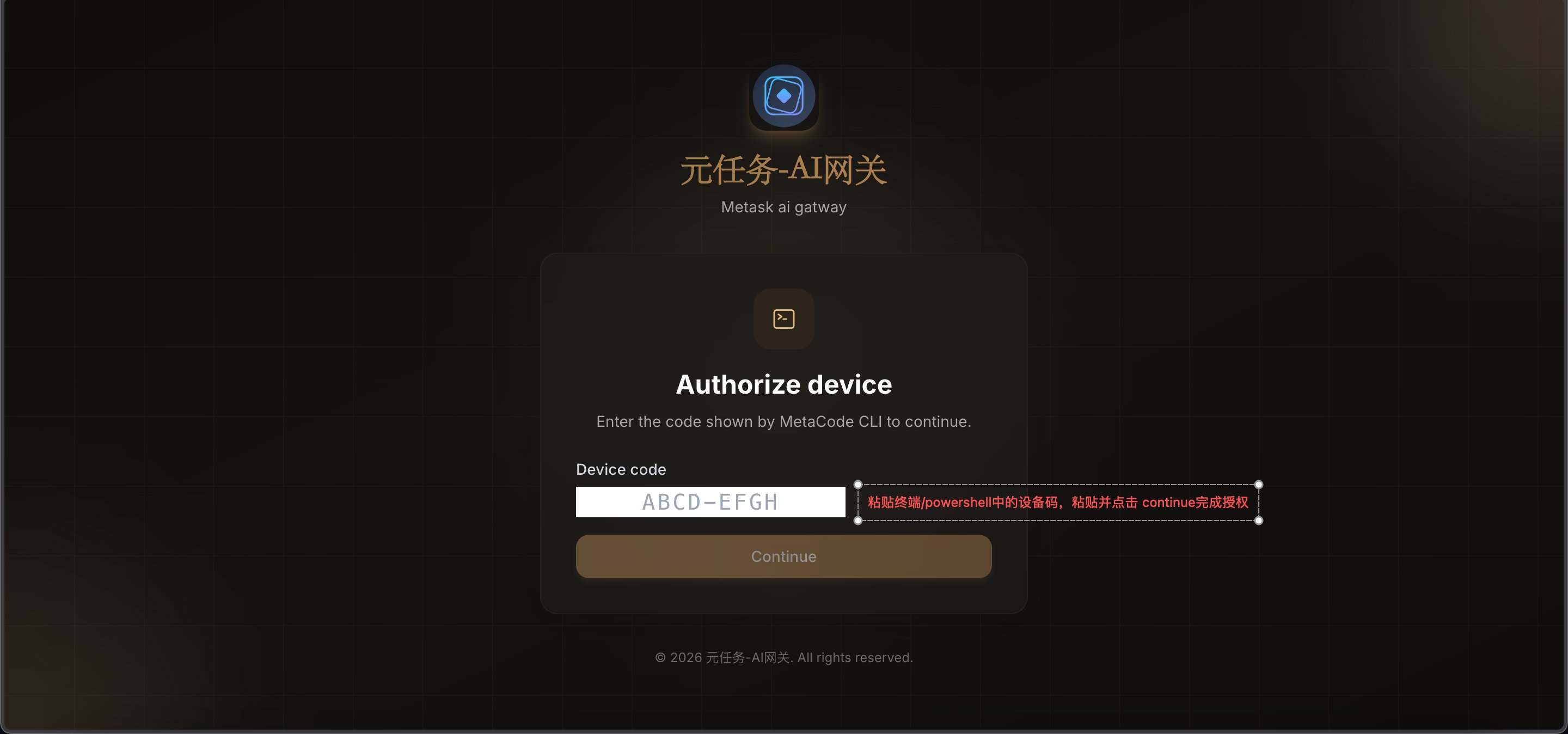
3
回到终端确认授权完成
网页确认后,终端会同步显示授权成功,你就可以开始正常使用 MetaCode。
注册 / 授权完成!无论你选哪一种方式,只要完成一次,后续直接运行
metacode 即可使用。版本升级
自动更新
自动更新
MetaCode 启动时会自动检查更新,有新版本时会提示你升级。
手动升级
手动升级
重新运行安装命令即可升级到最新版:升级完成后,重新启动: